
- Your cart is empty
- Continue Shopping


Product

Yuwell Anytime 5 Pro CGM Device | 16-Day Continuous Glucose Monitor
-10%
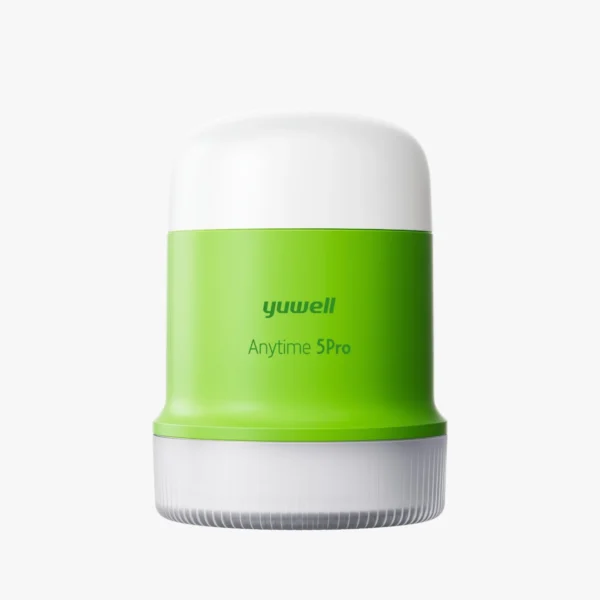


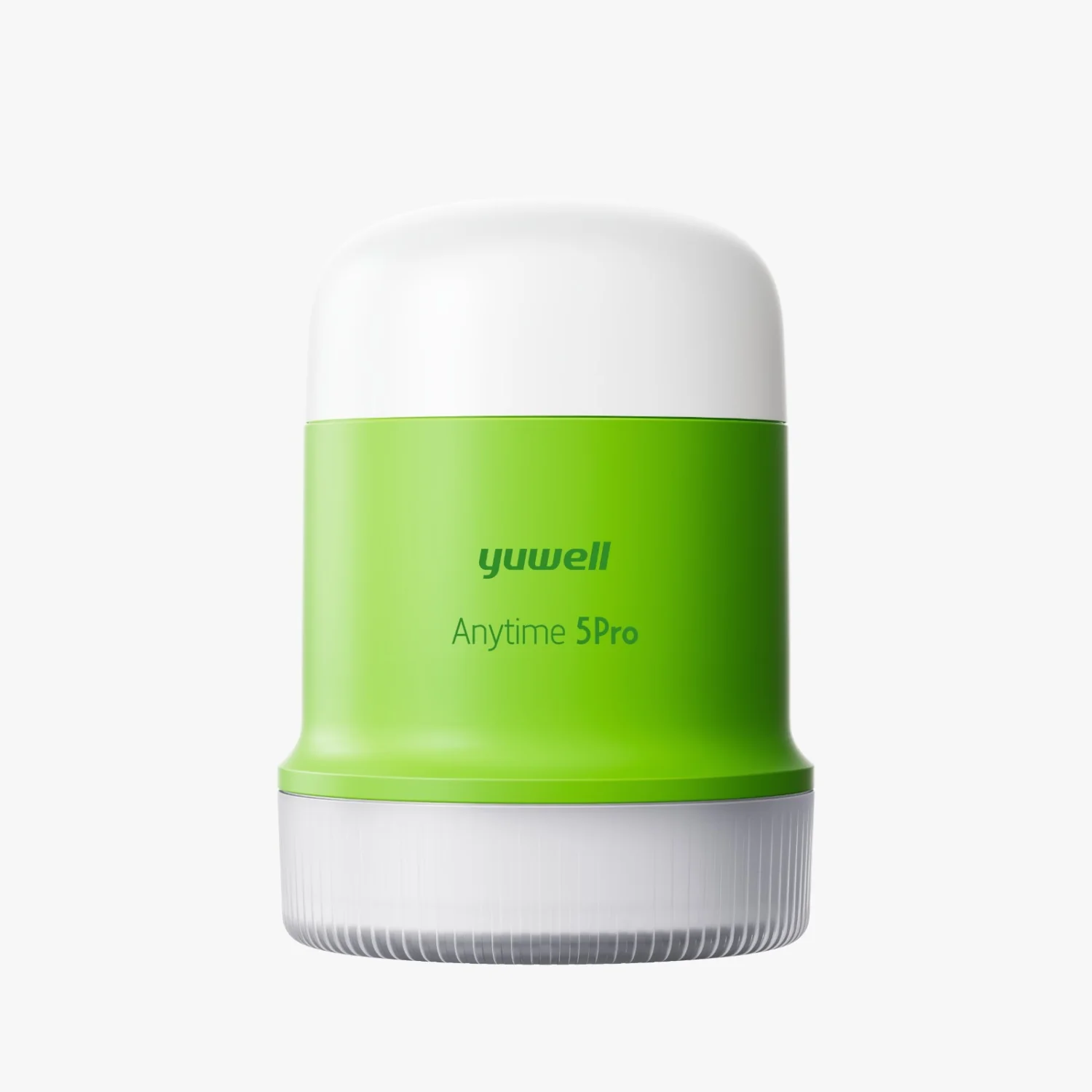
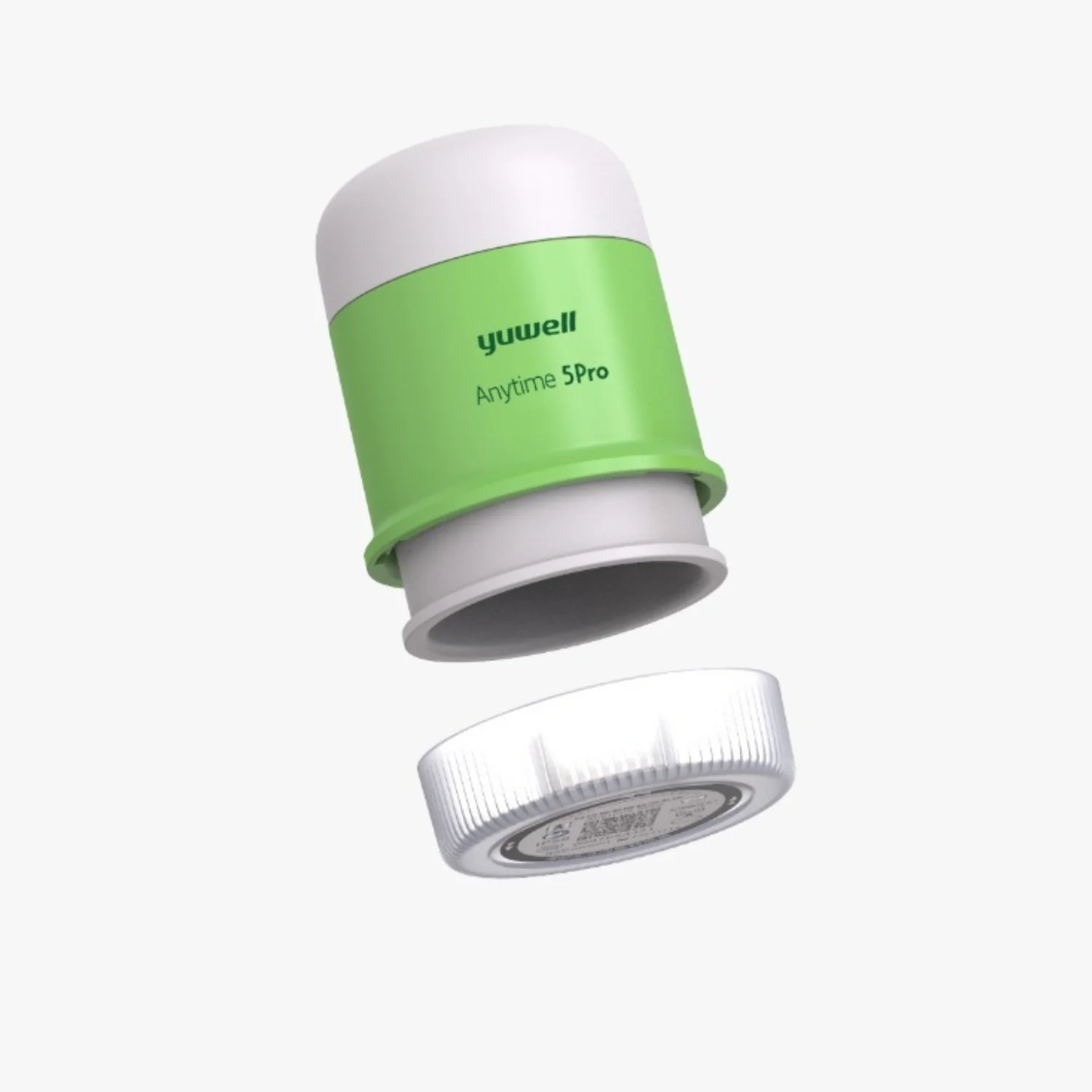
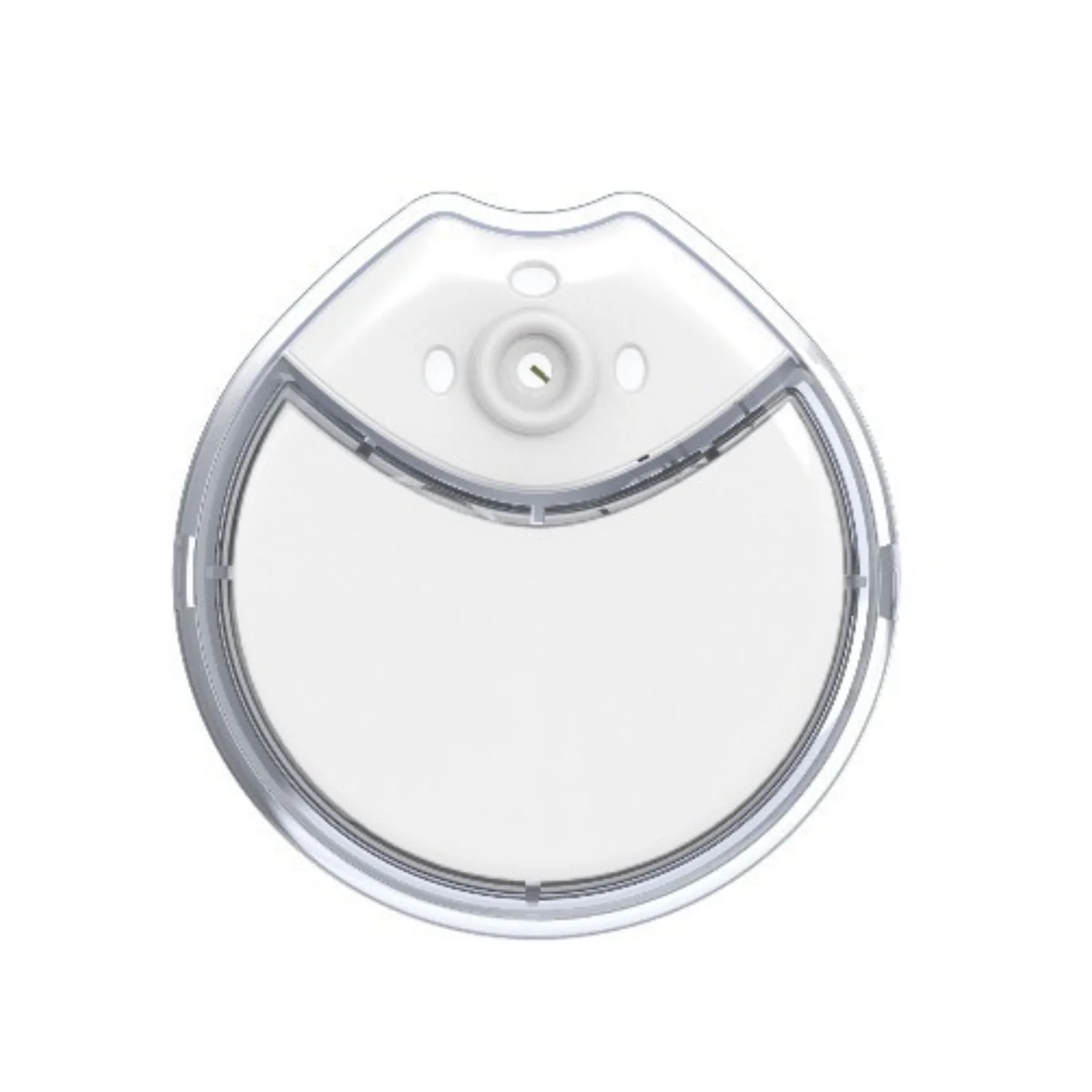
Yuwell Anytime 5 Pro CGM Device | 16-Day Continuous Glucose Monitor
₨ 18,000Current price is: ₨ 18,000. Original price was: ₨ 20,000.
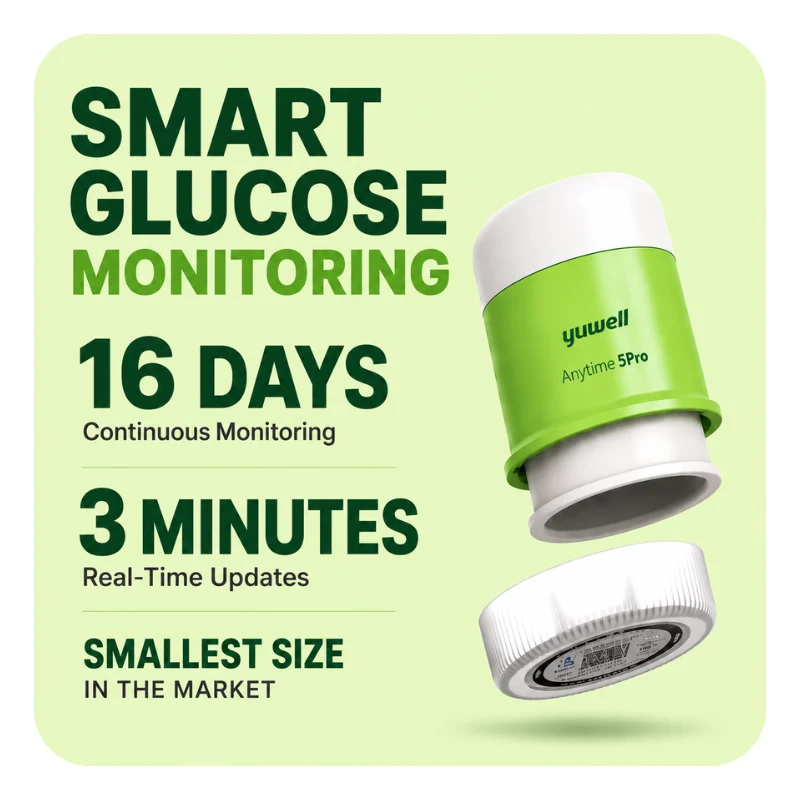
Yuwell Anytime 5 Pro is a CGM device, which means a continuous glucose monitor that tracks your blood sugar 24 hours a day. One sensor works for 16 days, so you do not need to change it often. It has a built-in transmitter inside the sensor, so it is quick and easy to put on your body. The sensor is thin and light, so you can wear it in daily life and while you exercise. It sends a new glucose reading to the Yuwell Anytime app on your phone or Apple Watch every 3 minutes with Bluetooth, so you can see your sugar level any time without many finger pricks. A clinical study also showed that the sensor kept steady accuracy from the first day to the last day of the 16 days. Always talk to your doctor about your sugar readings and your treatment. Buy the Yuwell Anytime 5 Pro CGM sensor in Pakistan from Certeza Store.
5 in stock





Reviewed by Medical Experts
Prof. Dr. Javaid Iqbal
Senior Consultant Diabetologist
Medically Verified ExpertProf. Dr. Tasneem Ahsan
Senior Consultant Endocrinologist
Medically Verified ExpertBrand: Yuwell
Product Name: Yuwell Anytime 5 Pro CGM Device (16-Day Continuous Glucose Monitor)
Model: Anytime 5 Pro
Type: Continuous Glucose Monitor (CGM)
Available At: Certeza Store
Specification of Yuwell Anytime 5 Pro Continuous Glucose Monitor:
| Specification | Details |
|---|---|
| Product Name | Yuwell Anytime 5 Pro CGM |
| Brand | Yuwell |
| Wear Duration | 16 days |
| Reading Update | Every 3 minutes |
| Glucose Range | 1.7 to 27.8 mmol/L (30 to 500 mg/dL) |
| Accuracy (MARD) | 8.58% |
| Calibration | Not required |
| Warm-Up Time | 45 minutes |
| Design | 2-in-1, transmitter built into the sensor, no separate reader needed |
| Sensor Size | 23 × 23 × 4.4 mm |
| Sensor Weight | 2.3 g |
| Wear Site | Upper arm |
| Connectivity | Bluetooth, up to 6 meters |
| Pairing | NFC instant pairing |
| App Compatibility | Yuwell Anytime app on Android, iOS and Apple Watch |
| Total Readings per Sensor | Up to 7,680 glucose data points |
| Suitable For | Age 18 and above |
Key Features of Yuwell Anytime 5 Pro CGM Continuous Glucose Monitor:
| Feature | Description |
|---|---|
| 16-Day Continuous Wear | One Yuwell Anytime 5 Pro CGM sensor works for up to 16 days. This 16-day CGM sensor means fewer sensor changes in a month. |
| Glucose Reading Every 3 Minutes | This continuous glucose monitor gives a new glucose reading every 3 minutes, day and night. It is a real-time glucose monitor that helps you see how your blood sugar goes up and down. |
| Fewer Finger Pricks | This is a calibration-free CGM. The sensor needs no calibration, so you can track your blood sugar without pricking your finger again and again. |
| 2-in-1 All-in-One Design | The transmitter is built into the sensor, so this all-in-one CGM does not need a separate reader or transmitter. |
| Phone and Apple Watch App | This Bluetooth glucose monitor sends readings to the Yuwell Anytime app on Android, iOS and Apple Watch. You can check your glucose on your phone or on your wrist. |
| High and Low Glucose Alerts | The CGM app gives customizable high and low glucose alerts, so you know when your sugar goes out of range. |
| Wide Glucose Range | This glucose monitoring device measures glucose from 1.7 to 27.8 mmol/L (30 to 500 mg/dL). |
| Clinically Studied Accuracy | A study of this accurate CGM across 16 days showed stable accuracy. The MARD is 8.58%, and a lower CGM MARD means closer readings. |
| Quick 45-Minute Warm-Up | After you put it on, the sensor needs 45 minutes of warm-up time before it starts showing readings, so the CGM setup is easy and quick. |
| Small and Light Sensor | This thin CGM sensor is 23 × 23 × 4.4 mm and weighs only 2.3 g, so it is easy to wear on your upper arm every day. |
| Easy NFC Pairing | You can connect the sensor to your phone fast with NFC instant pairing. |
| Buy in Pakistan | Buy the Yuwell Anytime 5 Pro CGM device online in Pakistan from Certeza Store. Check the Yuwell Anytime 5 Pro price in Pakistan on our website. |
What’s Inside the Box?
The Yuwell Anytime 5 Pro CGM box has everything you need to start glucose monitoring. It comes with the sensor, a sensor applicator, and user instructions.
- 1 x Yuwell Anytime 5 Pro CGM Sensor: This 16-day CGM sensor has the transmitter built into it, so you do not need a separate transmitter.
- 1 x Sensor Applicator: It helps you put the continuous glucose monitor on your upper arm easily. It is a one-handed applicator.
- 1 x Protective Cap: This tamper-proof sterile cap keeps the sensor safe before you use it.
- 1 x User Instructions: The guide shows you how to set up, wear, and remove your CGM device step by step.
Your phone or Apple Watch is not in the box. You connect the sensor to the Yuwell Anytime app with NFC pairing.
How to Use Yuwell Anytime 5 Pro CGM Continuous Glucose Monitor Step by Step Guide?
You can use the Yuwell Anytime 5 Pro CGM device in 3 main steps: connect the sensor to the app, put it on your upper arm, and wait 45 minutes for warm-up. After that, this real-time glucose monitor shows your blood sugar reading on your phone every 3 minutes for up to 16 days, without a finger prick for calibration.
- Download the CGM app: Install the Yuwell Anytime app on your Android or iOS phone and turn on Bluetooth. You can also view your glucose on Apple Watch.
- Check the sensor pack: Look at the CGM sensor pack before you open it. Do not use the sensor if the pack is open or damaged.
- Choose and clean the spot: Pick a clean spot on your upper arm. Wash the skin and let it dry fully. Do not choose a place where a belt or tight clothes can rub the sensor.
- Remove the cap and pair with NFC: Take off the protective cap. Hold your phone near the sensor, and the app will connect with NFC pairing.
- Apply the sensor: Put the one-handed applicator on your arm and press it down firmly. This all-in-one CGM has the transmitter built in, so you do not need a separate reader.
- Wait for the 45-minute warm-up: The glucose monitoring device needs 45 minutes of warm-up time. It is a calibration-free CGM, so you do not need to set it up with a finger prick.
- Check your blood sugar: After warm-up, open the app to see your glucose number, your trend graph, and your high and low glucose alerts.
- Remove after 16 days: When the 16-day CGM sensor finishes, gently lift one edge of the patch and peel it off your skin. Throw it away the right way, then apply a new sensor to keep monitoring.
Always read the user instructions in the box before you start. Talk to your doctor about your blood sugar readings and your treatment. You can buy the Yuwell Anytime 5 Pro CGM online in Pakistan from Certeza Store.
How to Apply on Body Yuwell Anytime 5 Pro CGM Continuous Glucose Monitor Step by Step Guide?
To apply the Yuwell Anytime 5 Pro CGM on your body, clean your upper arm, remove the protective cap, pair the sensor with the app, and press the one-handed applicator on your skin. This 2-in-1 CGM sensor has the transmitter built in, so there is no separate part to attach. After you apply it, wait 45 minutes for warm-up, and your continuous glucose monitor will start showing blood sugar readings on your phone.
- Wash your hands: Wash your hands with soap and water and dry them before you touch the sensor.
- Choose the right spot: Pick a flat area on your upper arm. Do not choose a place with scars, moles, or stretch marks. Stay away from places where a belt, bag strap, or tight sleeve can rub the sensor.
- Clean and dry the skin: Wash the spot with plain soap and water. Use an alcohol wipe if you have one, and let your skin dry fully. A dry, clean surface helps the CGM sensor stay on for all 16 days.
- Check the pack: Look at the sensor pack. Do not use the glucose monitoring device if the pack is open or damaged.
- Open the Yuwell Anytime app: Turn on Bluetooth on your phone and open the Yuwell Anytime app. The app will guide you step by step.
- Remove the protective cap: Take off the cap only when you are ready to apply the sensor. Do not touch inside the applicator.
- Pair with NFC: Hold your phone near the sensor. The NFC pairing connects the sensor to your phone fast.
- Press the applicator on your arm: Place the one-handed applicator flat on the cleaned spot and press it down firmly. Hold it still until the sensor is on your skin.
- Pull the applicator away: Gently lift the applicator off your arm. The sensor will stay on your skin.
- Check that the sensor is secure: Press softly around the edges of the patch to make sure it is stuck well, with no wrinkles or gaps.
- Wait for the 45-minute warm-up: Your glucose readings will appear after the warm-up. You do not need a finger prick for calibration.
Tips to keep your Yuwell Anytime 5 Pro CGM sensor on your skin for 16 days:
- Choose a new spot on your arm each time you apply a new sensor.
- Dry your skin fully before you apply it.
- Be careful when you take off tight clothes so the patch does not catch.
- If the sensor comes off early, remove it and apply a new one.
Always read the user instructions in the box before you start. If your skin gets red, itchy, or sore, remove the sensor and talk to your doctor. You can buy the Yuwell Anytime 5 Pro CGM device online in Pakistan from Certeza Store.
Warnings & Precautions: Yuwell Anytime 5 Pro CGM Continuous Glucose Monitor
The Yuwell Anytime 5 Pro CGM is a continuous glucose monitor that helps you track your blood sugar. It does not replace your doctor’s advice. Read the user instructions in the box before you start, and follow these safety points when you use this CGM device.
Do not ignore your symptoms:
- Do not ignore signs of low or high blood sugar, like feeling dizzy, shaky, very thirsty, or very tired.
- If your symptoms do not match your CGM reading, check your blood sugar with a finger-prick glucometer.
- Check with a finger prick also when your glucose is changing very fast, or when the glucose reading looks wrong.
- Do not delay medical care because of a sensor reading. Take medicine or change your treatment only after you talk to your doctor.
Before you apply the sensor:
- Keep the sensor in its sterile pack until you are ready to use it. An early opened pack can get germs.
- Do not use the sensor if the pack is open or damaged.
- Do not touch inside the applicator.
- Use a new sensor each time. Do not reuse a sensor.
- Ask your doctor before you use the glucose monitoring device for a child.
While you wear the sensor
- Wear it only on your upper arm, on clean and dry skin. Avoid scars, moles, and stretch marks.
- Rotate the spot each time you apply a new sensor to protect your skin.
- Avoid hard bumps, rubbing, and very hard exercise. A hit can make the sensor come off partly or fully and give wrong readings.
- Do not stay in water for a long time with the sensor on.
- Keep your phone within 6 meters of the sensor so the Bluetooth stays connected.
- Strong electronic signals in places like airports, metro stations, or crowded malls can break the connection. Move to another place if the app shows “device not connected.”
- In the first hours, readings can be less steady while the sensor settles. The Yuwell Anytime help centre says this adjustment phase can take up to 48 hours, so use finger-prick testing if the CGM readings do not match how you feel.
Medical scans
Take off the CGM sensor before an MRI or other medical scan. Tell the doctor or the scan staff that you wear a CGM sensor, and follow your user manual.
Skin care
- If your skin gets red, itchy, swollen, or sore, remove the sensor and talk to your doctor.
- If the sensor bleeds, hurts a lot, or you see anything strange at the wear site, remove it and ask your doctor.
- Do not wear the CGM for more than 16 days.
Storage
- Keep the pack in a clean, dry place and away from children.
- Throw away the used sensor the right way after 16 days.
You can buy the Yuwell Anytime 5 Pro CGM device online in Pakistan from Certeza Store.
How to Order Your Yuwell Anytime 5 Pro Continuous Glucose Monitor (CGM)?
Ordering your original medical equipment from Certeza Store is quick and easy. Follow these simple steps:
- Add to Cart: Click the “Buy Now” or “Add to Cart” button on our product page.
- Provide Details: Enter your name, phone number, and delivery address in Pakistan.
- Complete Payment: Since we operate on a secure advance payment model, please complete your payment through our provided payment options to confirm your order.
- Get Delivery: Once your payment is confirmed, we will pack your 100% original Yuwell Anytime 5 Pro CGM and ship it directly to your doorstep.
Doctor Recommendation
Medical experts highly recommend continuous glucose monitoring for individuals managing diabetes or seeking detailed real-time insights into their blood sugar trends. Having a continuous glucose monitor (CGM) at home allows for effortless, needle-free tracking without the daily pain of finger pricks. While the continuous glucose monitor price in Pakistan may vary, investing in an accurate, authentic device like the Yuwell Anytime 5 Pro is essential for optimal health management. Doctors suggest using continuous glucose sensors to track glucose spikes, meal impacts, and nocturnal hypoglycemia, but remind patients that CGM data should complement regular consultation with an endocrinologist. If your continuous glucose monitor consistently alerts you to abnormal readings or if you experience symptoms of hypoglycemia or hyperglycemia, consult your healthcare provider immediately.
Why Choose Certeza Store?
Certeza Store is Pakistan’s trusted destination for high-quality, authentic health monitoring devices, including the advanced Yuwell Continuous Glucose Monitoring series.
Why customers trust us:
- 100% Original Products: We guarantee that every continuous glucose monitor and medical device we sell is 100% authentic, ensuring the precision and sensor reliability you need.
- Best Continuous Glucose Monitor Price in Pakistan: We offer the most competitive Yuwell Anytime 5 Pro CGM price in Pakistan, making modern diabetes technology accessible and affordable.
- Nationwide Delivery: We deliver your essential continuous glucose monitoring sensors safely to your doorstep, anywhere in Pakistan.
- Secure Online Shopping: Shop with confidence using our secure, transparent advance payment model designed for a stress-free experience.
- Expert Customer Support: Our team is always ready to assist you. If you have questions about continuous glucose sensor application, mobile app integration, or technical guidance, we are just a message away.
- Reliable Medical Equipment: From real-time glucose tracking to comfortable long-term wear, our diabetes management devices are trusted by patients and healthcare providers across the country.
Frequently Asked Questions
1
Do I need to prick my finger every time to check blood sugar?
No! Once you apply the sensor, there is no need for daily finger pricks. The Yuwell Anytime 5 Pro CGM tracks your glucose continuously and painlessly for up to 16 days.
2
How is the continuous glucose sensor applied to the body?
It applies easily to the back of your upper arm using a simple, pain-free applicator. A medical-grade adhesive tape keeps the lightweight sensor securely attached to your skin.
3
How many glucose readings does the device take in a day?
The device takes a blood sugar reading every 3 minutes. This gives you 480 real-time glucose readings per day directly on your smartphone.
4
Is the Yuwell Anytime 5 Pro sensor water-resistant?
Yes, it is IP58 water-resistant. You can safely shower, exercise, sweat, and swim without removing or damaging the glucose sensor.
5
Does the Yuwell Anytime app work on both Android and iPhone?
Yes! The official Yuwell Anytime mobile app is compatible with both Android devices (Google Play Store) and iPhones (Apple App Store) via Bluetooth connection.
6
How accurate is the Yuwell Anytime 5 Pro continuous glucose monitor?
It is clinically accurate with a high precision rate (8.58% MARD score). It delivers reliable, lab-quality readings to help you manage diabetes with confidence.
7
Can children use this continuous glucose monitor (CGM)?
Yes, children can safely use it under adult supervision. It is an ideal, pain-free blood sugar monitoring device that protects kids from frequent, painful needle pricks.
8
Can prediabetic individuals or non-diabetics use a CGM sensor?
Yes, prediabetics and fitness-conscious individuals can use it to track how different foods (like rice or sweets) affect their blood sugar levels and optimize their daily diet.
9
Does the device alert you if your blood sugar drops low at night?
Yes, the app features customizable high and low glucose alerts. It sounds an alarm on your phone if your blood sugar drops too low (hypoglycemia) or spikes too high (hyperglycemia).
10
What is the Bluetooth connection range for the Yuwell Anytime 5 Pro?
The Bluetooth range is up to 6 meters (about 20 feet) in an open space. As long as your phone is within this distance, you will receive live blood sugar updates every 3 minutes.
11
How long does the sensor save data if Bluetooth gets disconnected?
If your phone goes out of range or Bluetooth is turned off, the sensor's built-in memory automatically saves up to 8 hours of blood sugar data. Once your phone reconnects, all missed readings sync back to your mobile app automatically.
Related products
-20%

Certeza TS-100 Testing Strips for GL-100 Monitor
₨ 2,000Current price is: ₨ 2,000. Original price was: ₨ 2,500.
-7%


Certeza GL-107 Test Strips
₨ 2,970Current price is: ₨ 2,970. Original price was: ₨ 3,200.
-51%

Certeza TS-110 Test Strips for GL-110 Gluco Meter
₨ 1,700Current price is: ₨ 1,700. Original price was: ₨ 3,500.
-11%Hot

Sinocare Ican i3 (CGM) Continuous Glucose Monitoring System
₨ 16,000Current price is: ₨ 16,000. Original price was: ₨ 18,000.
-11%Hot


Certeza GL-110 Blood Glucose Monitor | Sugar Test Machine
₨ 2,660Current price is: ₨ 2,660. Original price was: ₨ 3,000.
-18%
Certeza GL 100 – Blood Glucose Monitor
₨ 2,450Current price is: ₨ 2,450. Original price was: ₨ 3,000.